Dua Dupla DS
Figma + Storybook + a three-phrase pipeline. What actually works, what isn’t magic, and why the human remains the handbrake.
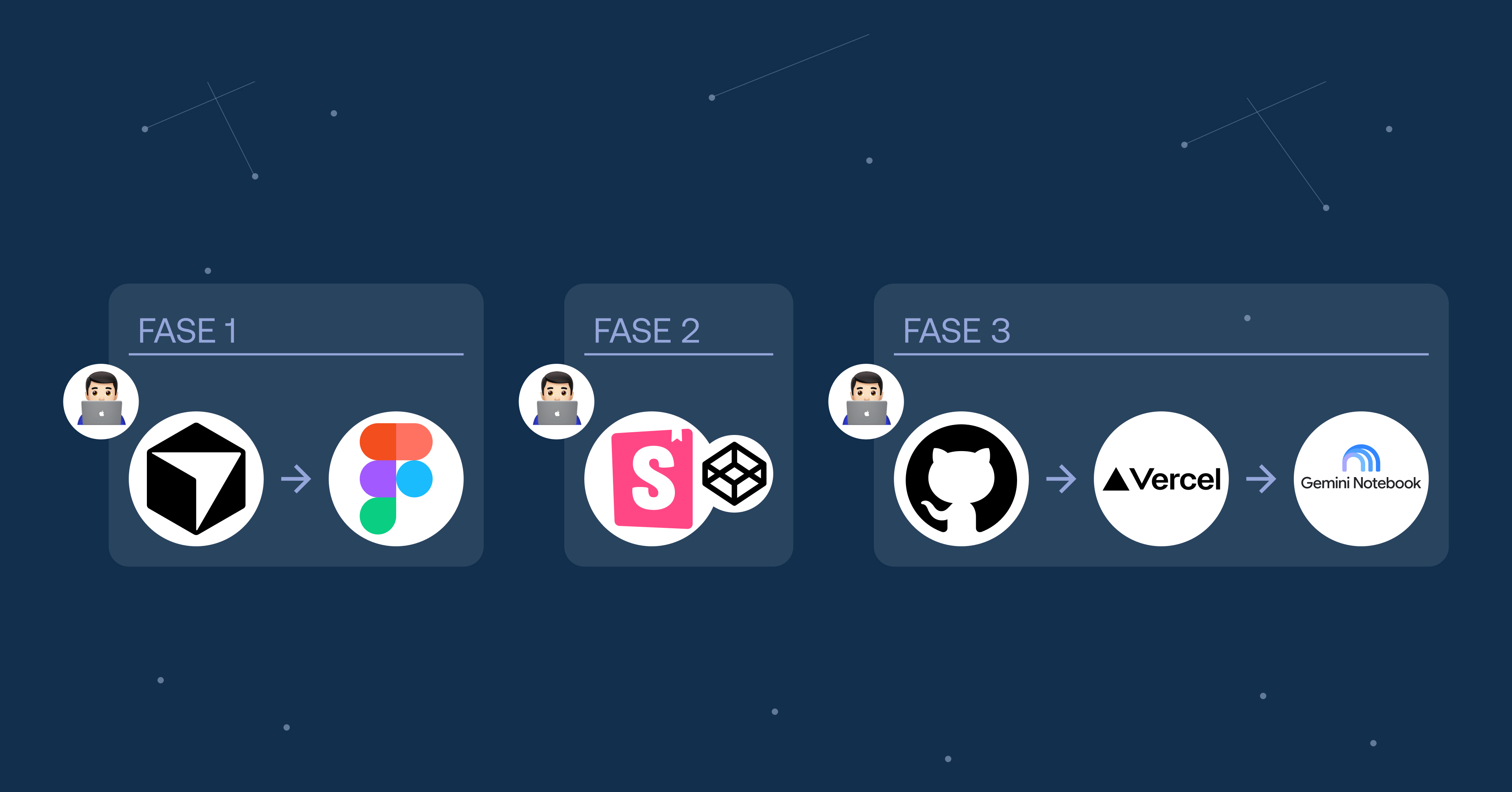
Date: Nov 2025 – Aug 2026.
Description: A Design System with an AI-powered creation and documentation process—without giving up human judgment.
Role: Product Designer & DesignOps. I designed the system, wrote the rules and skills, designed Foundations and components in Figma, and built the documentation in Storybook through to production.
Platform: Figma · Storybook (web) · Gemini Notebook assistant.
Methodology: DesignOps. Discipline externalized: three phrases, two human gates, and a corpus for the assistant.
Tools: Figma MCP, Cursor, Storybook, CodePen, GitHub, Vercel, Gemini Notebook.
Spoiler alert: I did not build an “autonomous agent that designs on its own.”
What did I build? My AI puts it this way: “An operating system for designing and documenting through an AI agent—made of written rules, skills with checklists, commands, and a three-step pipeline that forces me to validate as a human before moving on.”
The Dua Dupla Design System—documented in Figma and Storybook, deployed on Vercel—is the result of that work, done side by side with Cursor.
If you’re expecting a “press a button and get the full DS” system, this isn’t that. If you care about how to constrain a model so it doesn’t invent tokens, doesn’t jump to code without Figma, and doesn’t push until you say “Push,” keep reading.
The real problem
A Design System isn’t just nice-looking components. It’s:
- Variables in one place (the Foundations file).
- Components with variants.
- Documentation with anatomy, states, and accessibility.
- And a path to production.
When you work with a coding assistant, the risk isn’t that it doesn’t know CSS. The risk is that it mixes phases: draws in Figma, implements in Storybook, and pushes to GitHub in the same breath… without you having looked at anything, or having a chance to validate it.
That happened enough times that I turned it into a rule.
What’s actually in the repo
There aren’t “9 agents running in parallel” in this project. There is:
1. AGENTS.md — a map of roles (orchestrator, figma draw, Storybook docs, release…). It’s the contract for who does what.
2. Rules (.cursor/rules/*.mdc) — policies that are always or almost always active. Real examples:
component-pipeline-3-steps.mdc— don’t mix Figma / Storybook / Push.variables-only-foundations.mdc— variables live in the Foundations file; they aren’t created in the Components file.push-github-vercel.mdc— “Push” means commit + GitHub + verify Vercel Ready.
3. Skills (.cursor/skills/*/SKILL.md) — step-by-step procedures. The two I use most for components:
figma-draw-ds-component, to draw the set + Specs/Anatomy in Figma.add-new-ds-component, to document in Storybook (HTML + TypeScript, not a published React package).
4. Commands: /draw-figma-component and /add-new-component to trigger the right role.
The structure looks roughly like this:
.cursor/
  commands/     # slash commands
  rules/        # DS policies
  skills/       # procedures + checklists
apps/docs/src/
  stories/      # *.stories.ts + design-system.css
  stories/lib/  # render helpers + CSS per component
docs/           # specs, token mapping, visual targets
AGENTS.md
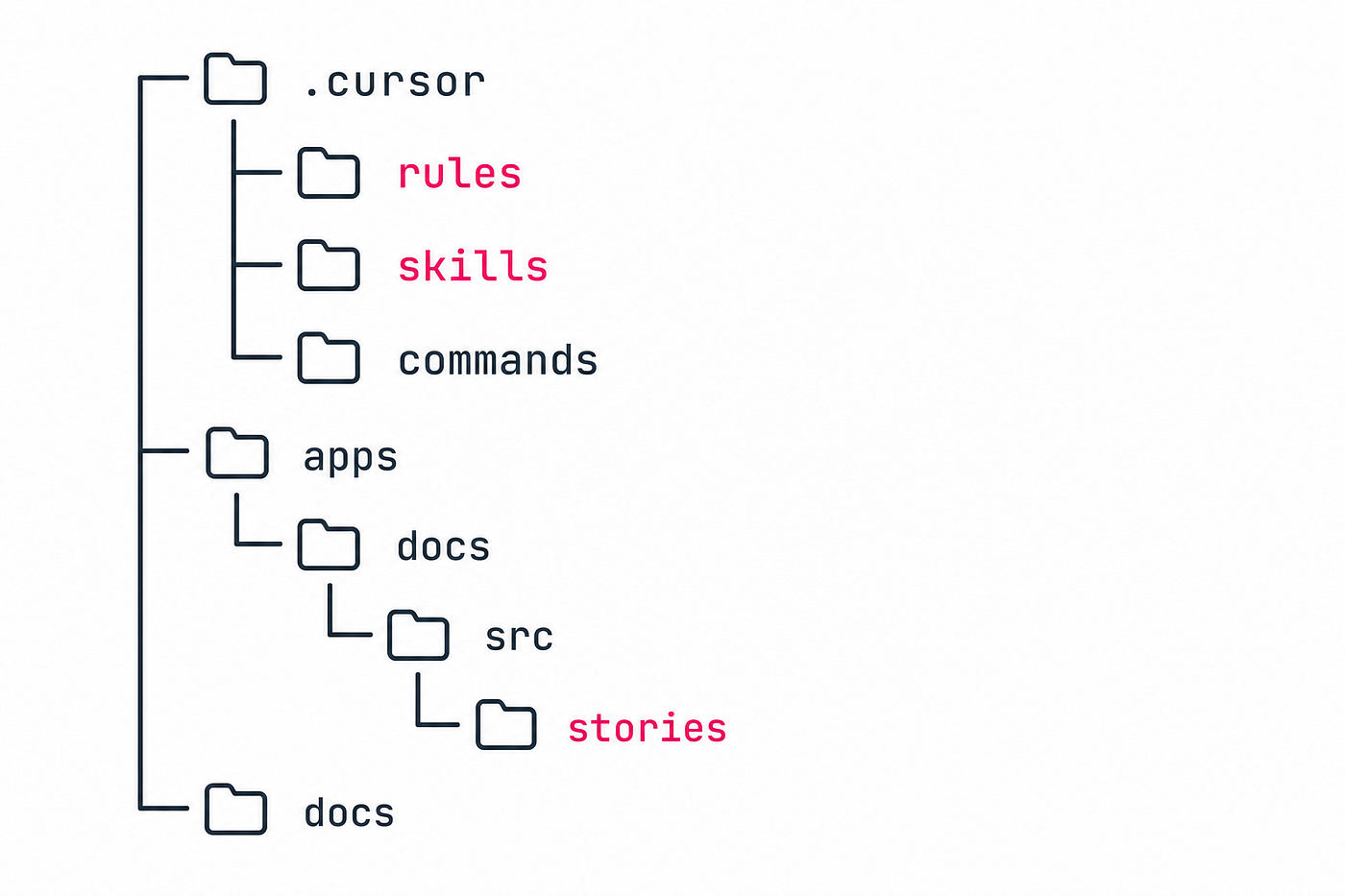
The process lives in the repo: rules, skills, stories.
Important honesty: the plan and AGENTS.md describe a Figma → React → Storybook (Astro) → Vercel path. In this repository, what’s in production today is Storybook with HTML/TS helpers under apps/docs. I’m not pretending there’s already a React npm package ready for product. Storybook is live (still Work in Progress): dua-dupla-storybook.vercel.app.
The trick that has given me the most value: three phrases
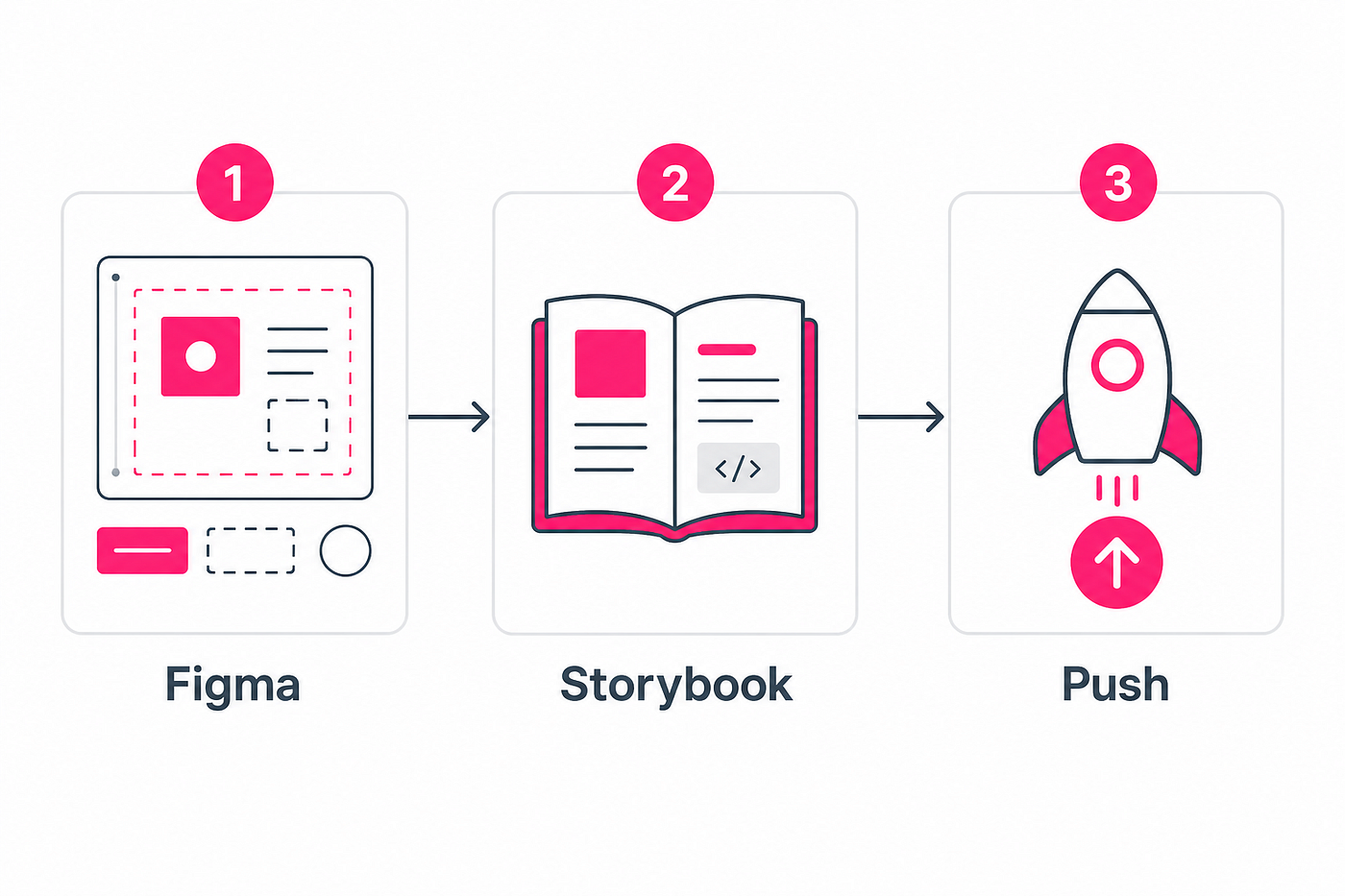
From Figma to Storybook to Production.
Instead of a mega-prompt, the flow for a new component is literally this:
Step 1 — “Let’s do component X”
I write: “Let’s do Component X.” The assistant creates the component and specs in Figma. It doesn’t do Storybook, commit, or push.
Step 2 — “Document in Storybook”
I write: “Document in Storybook.” The assistant creates the render helper, CSS with tokens, Docs/Playground stories, and build-storybook. It doesn’t push. I review the code the assistant generates for each component. I drop it into a tool like CodePen, render it there, and compare it with Figma: same tokens, sizes, states, and variants. If the result doesn’t match, I fix it before moving on. Still no push here.
Step 3 — “Push”
I write: “Push.” Cursor does commit → git push → waits for Vercel Ready and a smoke check. Commit to GitHub, redeploy on Vercel, and publish Storybook so the team can use it.
Between steps 1 and 2 I review the component in Figma, check that variables are applied correctly, and can fix a color, a typeface, a spacing value, or a variant.
Between 2 and 3 I review the Storybook docs (locally, on a localhost URL) and also pull the component code into CodePen—or a similar sandbox—to validate that the visual result matches Figma. I only move on when that parity convinces me. The model doesn’t “finish the job” until I validate everything and type the “Push” command. That’s when it goes to GitHub and redeploys on Vercel.
Example: designing the Progress component. In Figma it ended up as Size Sm/Md × Value 0–100 × Tone Primary/Success. I changed the Primary indicator to fg/interactiveSecondary/default. Then I asked it to document in Figma and Storybook. And after validating in Storybook and CodePen against Figma, I said “Push.” Commit 3e817ff, deploy Ready, stories components-progress — docs and — playground in production. No skipped steps.
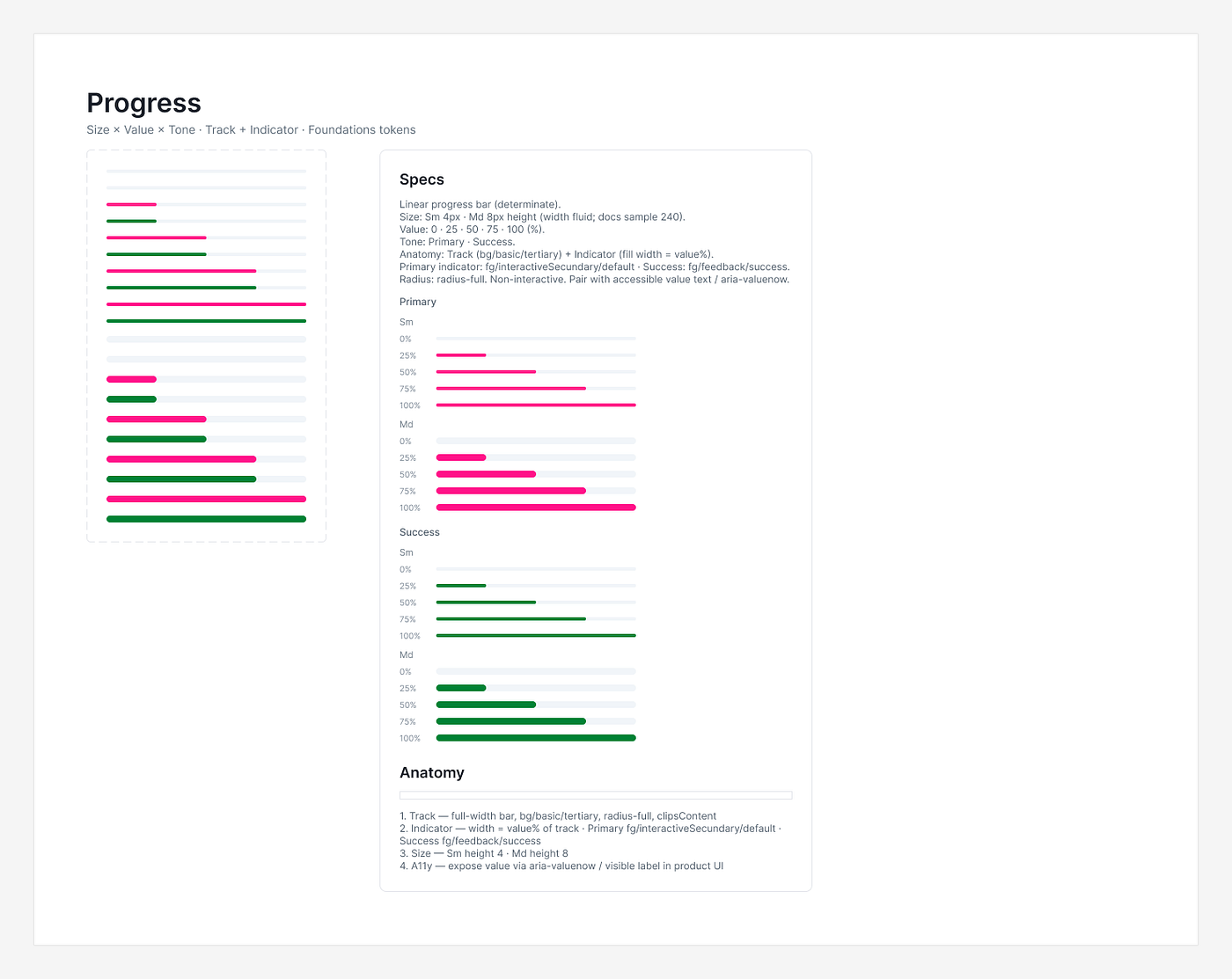
Progress component designed and documented in Figma.
After Push: the DS assistant
The process no longer ends with Push. Once Storybook is in production, Cursor generates a .md file with the documentation for the component we just created. I upload it by hand to Gemini Notebook. There’s no official API; we don’t pretend there’s magic there.
That notebook is the virtual assistant for the design system. The team asks questions there instead of flooding Slack: “When do I use an Alert?”, “What’s the hex for Error?”, “Can I put two primary buttons next to each other?”. Answers are anchored to the corpus—the uploaded component documentation—and don’t invent. They close with a link to Storybook + Figma.
It isn’t a chatbot that improvises. It’s the system corpus, queryable.
What each component costs
When the flow closes, Cursor gives me an estimate of what the full design and documentation process for that component cost: tokens consumed, dollars, and euros.
It isn’t a billing dashboard. It’s a line of honesty at the end of each cycle: how much it cost, in numbers, to externalize the discipline for that component—Figma, Storybook, validations, push, and markdown export—without selling the idea that “AI does it for free.”
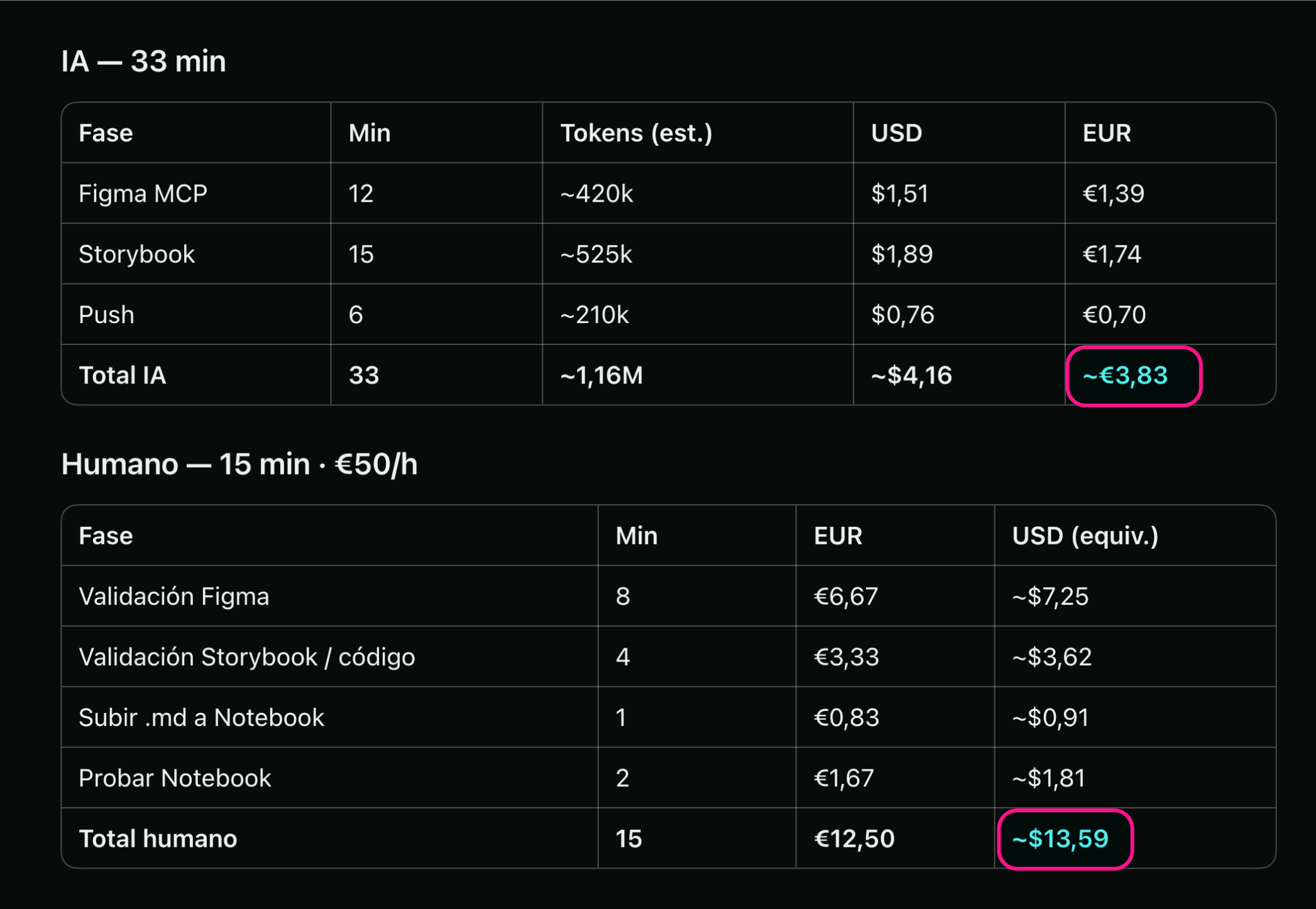
Alert component cost, Cursor spend.
Foundations first
Another non-negotiable rule: variables only in the Foundations file. In the Components file, variables are consumed; they aren’t created. When the agent draws in Figma, it has to bind existing variables (bg/basic/tertiary, fg/feedback/success, radius-full…). If a token is missing, the decision happens in Foundations—you don’t “hardcode” a loose value in the component and forget about it.
That also shows up in code: CSS with --ds-* mapped from the token dictionary, not magic per component.
What we document in Storybook
Each component isn’t “a loose story.” The skill requires, at minimum:
- Docs (States, Anatomy, Do/Don’t, Props, A11y).
- Playground with controls.
- White canvas in States/Anatomy (unless a documented exception).
- And
npm run build-storybookpassing green before calling the step done.
At the start I created Foundations in Figma plus the Button, Button Icon, Checkbox, Radio, and Switch components. Then Cursor created the rest; we started with the simpler ones: Divider, Badge, Tag, Avatar, Spinner, and Progress. In the coming days we’ll move on to more complex components.
Not everything was born perfect. Avatar needed typography tweaks. Progress changed tokens mid-way. Badge and Tag went through variant refinements and documentation navigation updates. That’s Design System work, with or without AI.
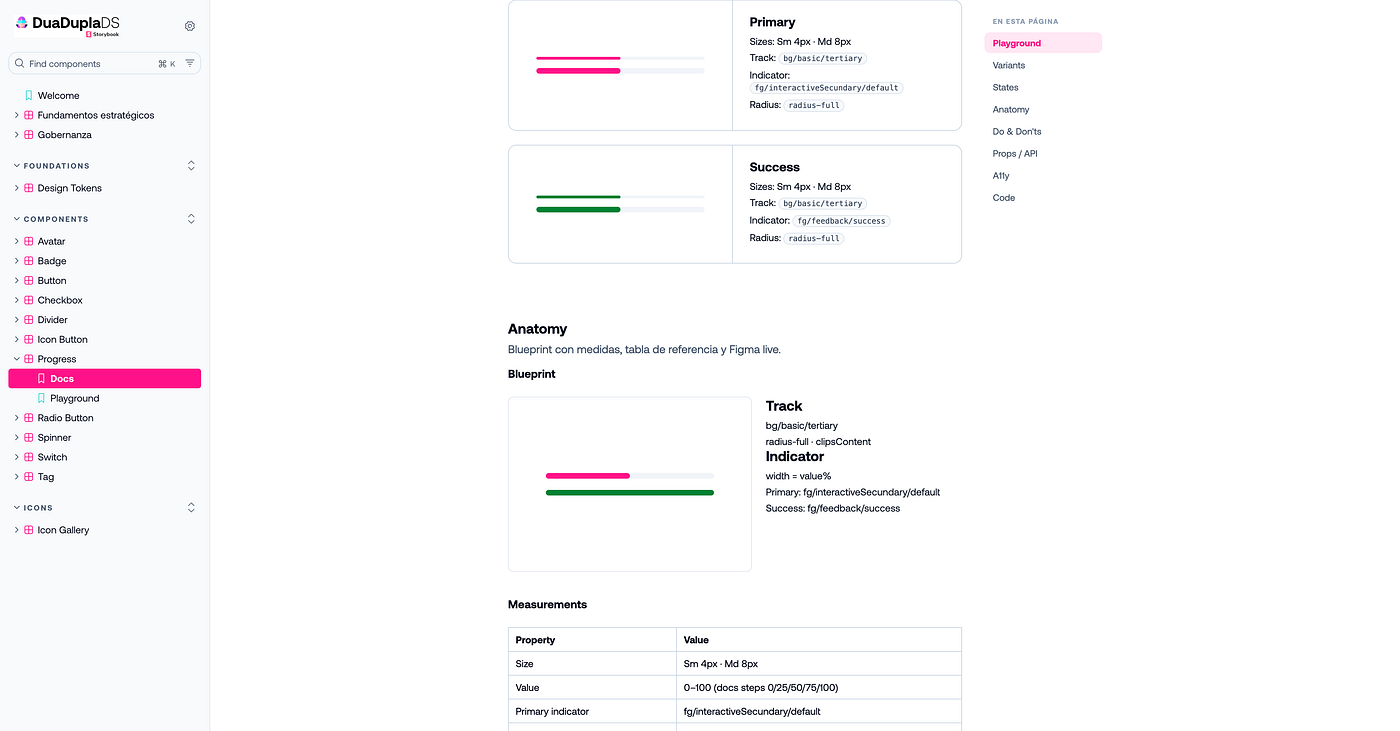
Progress component documented in Storybook.
What an agent is (and isn’t)
When I say agents, I mean documented roles the assistant takes on when it reads a skill or a command—not nine independent processes making decisions on their own.
What it usefully automates:
- Reading Figma context via MCP.
- Creating variants and documentation with a repeatable pattern.
- Generating stories and CSS aligned to tokens.
- Building Storybook and pushing to GitHub/Vercel when I ask.
- Exporting the component markdown for the assistant corpus, and the cycle cost report.
What it doesn’t automate (and shouldn’t):
- Deciding whether the component is the right one for the product.
- Accepting dubious contrast because “the build passed.”
- Publishing anywhere without my review.
- Uploading the corpus to Gemini Notebook. I do that by hand.
Honest lessons
- Write the process down. Trusting chat memory doesn’t scale. Rules and skills outlive the conversation.
- Human gates, not fake speed. The gates feel slow; they prevent redoing several layers at once.
- Name the real stack. If the repo is HTML + Storybook, say so. Don’t sell React if it isn’t there yet.
- AI gets design details wrong. Typography, mislinked tokens, token spelling. The value is in the short loop: catch → fix → continue.
- The reusable DS is the process, not just the buttons. This
.cursor/+AGENTS.mdlayout is meant to be copied into another project by swapping Figma URLs and tokens.
Closing
Building a Design System with AI isn’t about replacing the designer or the developer. It’s about externalizing discipline: the checklist you always forget, the “don’t mix phases,” the “variables only in Foundations,” the “don’t push until I say Push.”
The system isn’t smart. It’s insistent. And for a DS, insistence is almost everything.
If you want to implement an AI-based creation and documentation process like this in your Design System, write to me.
The video
Full flow creating the Alert component: from the phrase in Cursor to the set in Figma, documentation in Storybook, CodePen, the push to production, and closing the cycle.
Creating the Alert component · ~4 min